Visual Bug Reports
Your users report bugs with annotated screenshots. Your engineers get everything they need to fix them.
When someone reports a bug through Callout, your engineering team doesn't get "it's broken." They get an annotated screenshot, console errors, browser details, the page URL, and a link to the session replay. Everything they need to reproduce the issue — collected automatically.
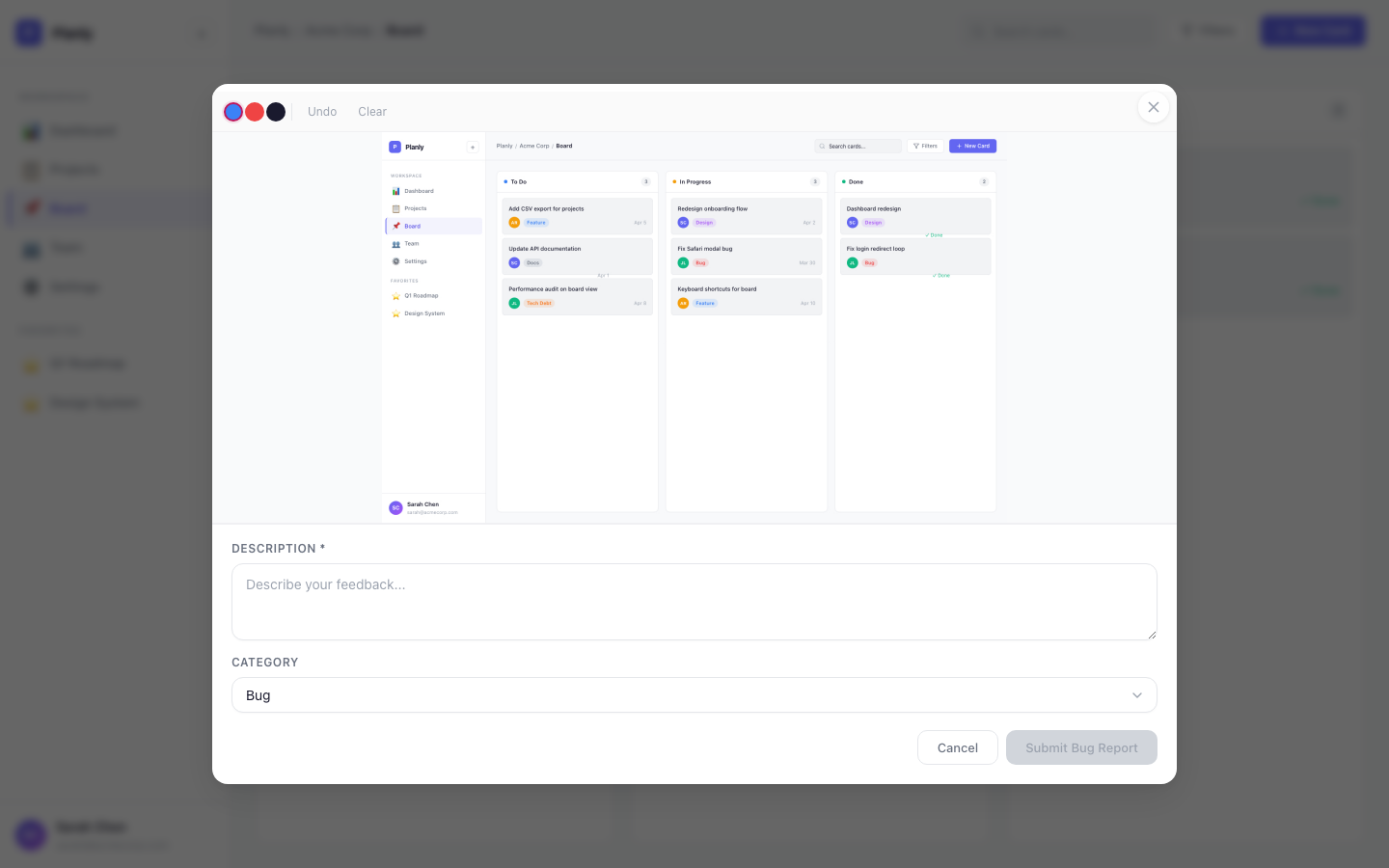
What Your Engineers Get
Every report arrives with full context, no extra work from the user:
Annotated Screenshot
A screenshot of the exact page, captured and annotated by the user. They can draw, circle, and highlight exactly what's wrong.
Console Errors
The last 10 console errors, auto-captured. Passwords and API keys are scrubbed automatically.
Browser & OS
Browser name, version, operating system, screen resolution, viewport size. No more asking "what browser are you using?"
Session Replay Link
If you use PostHog, LogRocket, FullStory, or Hotjar, the report includes a timestamped link to the exact moment. See Session Replay for setup.
How It Works
Your users click the feedback button, a screenshot is captured, they draw on it to highlight the problem, write a short description, select a category, and hit submit. The whole thing takes under 30 seconds.
If the user is identified, their name, email, and custom traits are attached to the report automatically.
Submissions Dashboard
Every report is stored in Callout and viewable at Feedback > Submissions in your dashboard. You can:
- Browse all submitted reports with their screenshots and details
- Filter by category (Bug, Feature Request, etc.)
- Search by description or URL
- See delivery status — whether the report was sent to GitHub, Linear, Slack, email, or any combination
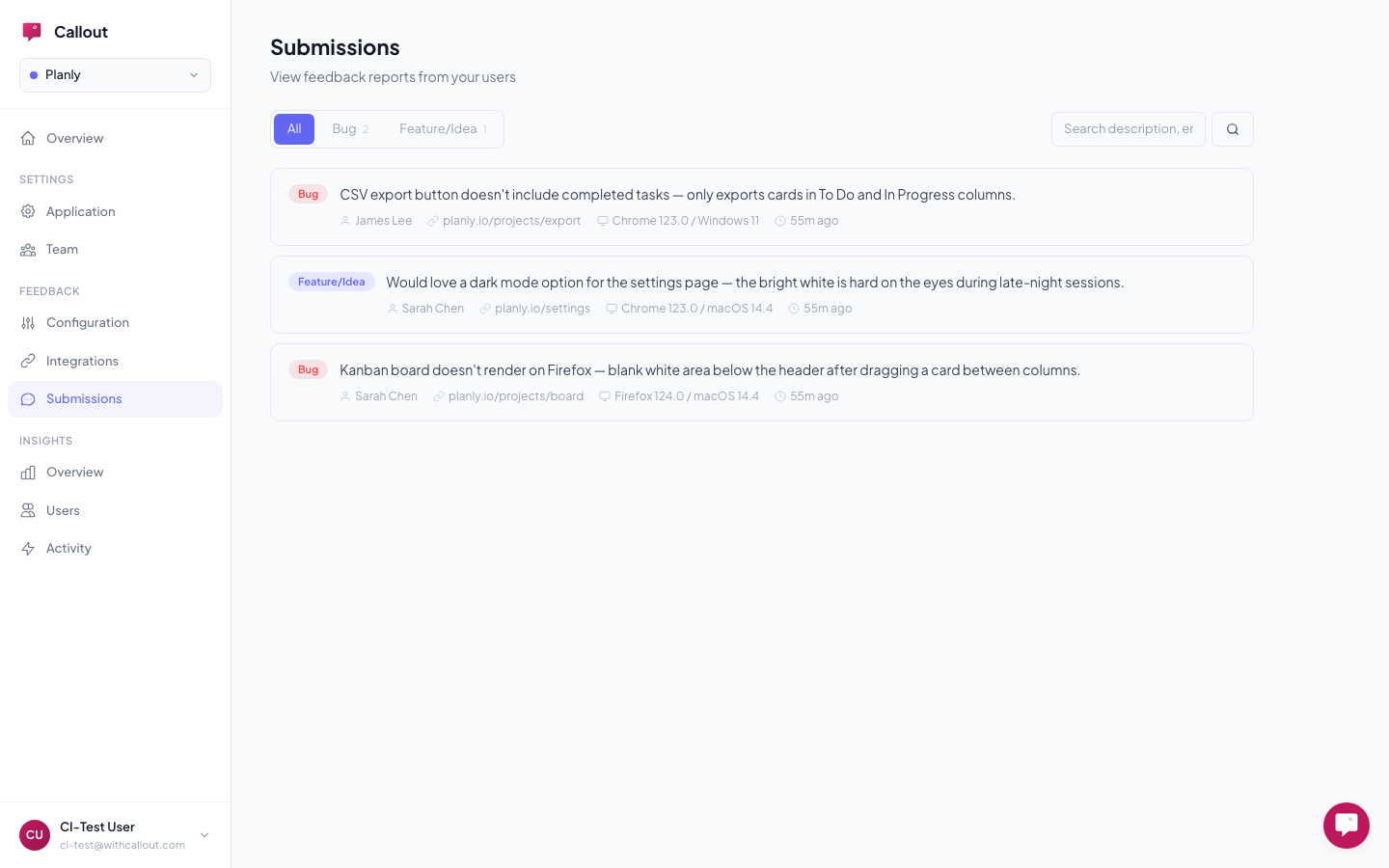
This means your team always has a central place to review feedback, even if you also send reports to GitHub, Linear, Slack, or email.
Integrations — Send Reports Wherever You Work
On top of the built-in submissions dashboard, you can send reports to external tools your team already uses. Set up integrations at Feedback > Integrations:
- GitHub Issues — each report becomes a structured issue with screenshot, environment details, and labels
- Linear — issues with configurable team, project, priority, workflow state, and labels
- Slack — rich messages with inline screenshots posted to your team's channel
- Email — formatted reports delivered to your team's inbox
- PostHog — link reports to session replay recordings
You can use multiple integrations at the same time — reports go to each independently.