Customize Feedback
Customize the trigger button, feedback modal, and categories.
The feedback widget works out of the box, but you can customize how it looks and what options your users see.
Everything here can be done from the dashboard — no code needed. The code options below are for developers who want programmatic control. Most teams never touch them.
From the Dashboard
All customization is done at Feedback > Configuration in your dashboard:
- Categories — define what users can report (Bug, Feature Request, Question, etc.). These appear as a dropdown in the feedback form and automatically map to GitHub labels when delivery is configured.
- Trigger button — position, size, color, text, and icon
- Modal — accent color, placeholder text, submit button text
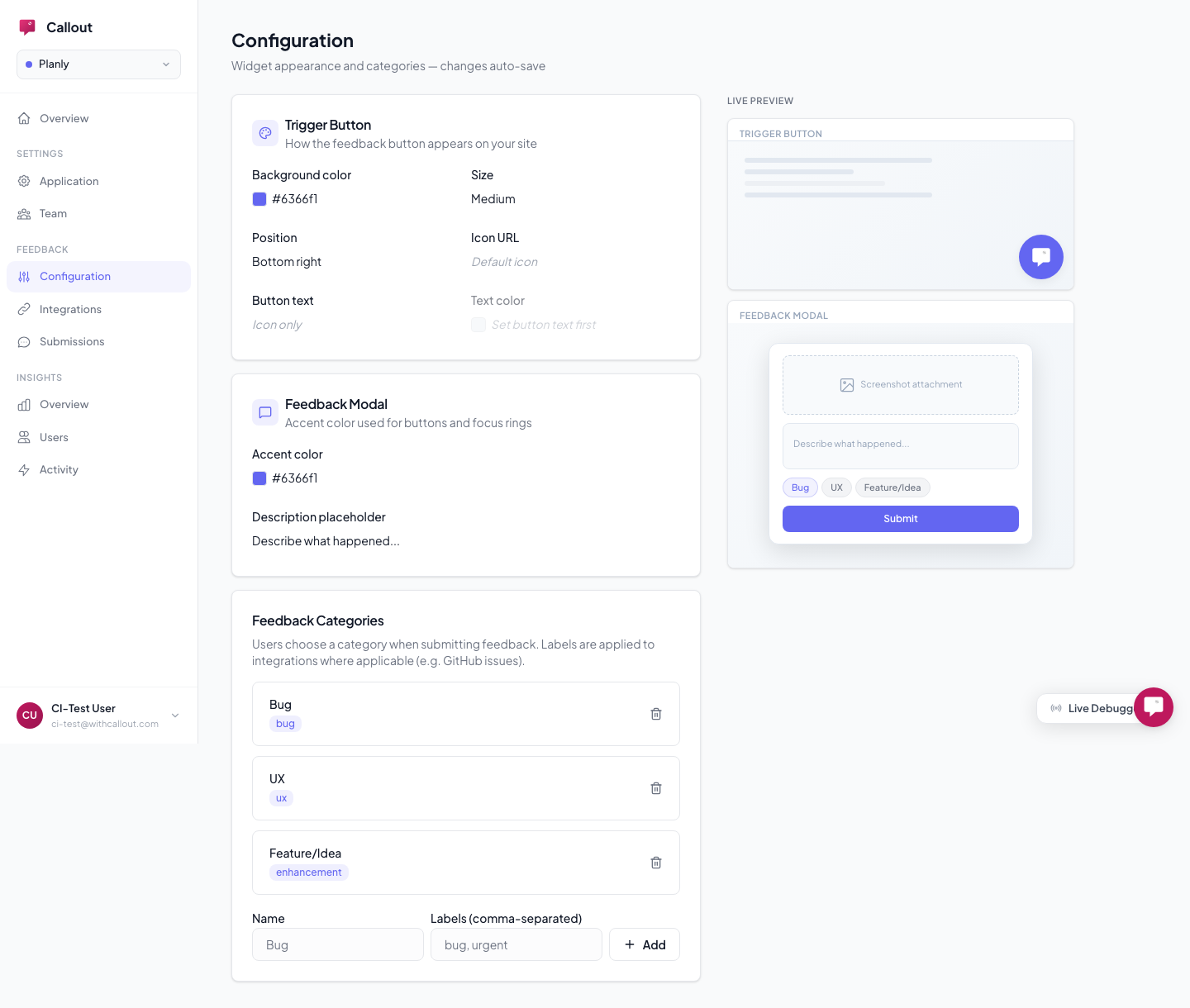
Changes take effect immediately — no code deploys needed.
From Code (Optional)
You can override appearance and behavior from code via window.CalloutConfig:
<script>
  window.CalloutConfig = {
    projectId: "YOUR_PROJECT_ID",

    // Trigger button
    triggerPosition: "bottom-left",   // bottom-right (default), bottom-left, top-right, top-left
    triggerColor: "#0ea5e9",
    triggerTextColor: "#ffffff",
    triggerSize: "medium",            // small, medium (default), large
    triggerIcon: "https://...",       // custom icon URL (replaces default chat icon)
    hideTrigger: true,                // hide the floating button entirely

    // Modal
    modalAccentColor: "#0ea5e9",
    modalBodyPlaceholder: "What went wrong?",

    // Features
    enableAnnotation: false,          // disable screenshot annotation (default: true)
    debug: true,                      // log widget activity to browser console
  };
</script>
Programmatic Control
You can also control the widget from JavaScript:
Callout.open();    // Open the feedback modal
Callout.close();   // Close it
Callout.destroy(); // Remove the widget entirely
Callout.init();    // Re-initialize after destroy
Lifecycle Callbacks
React to widget events from your application:
window.CalloutConfig = {
  projectId: "YOUR_PROJECT_ID",
  onOpen: () => { /* feedback modal opened */ },
  onClose: () => { /* feedback modal closed */ },
  onSubmitSuccess: () => { /* report submitted */ },
  onSubmitError: (error) => { /* submission failed */ },
};
Want to hide the floating button and open the feedback modal from your own button? Set hideTrigger: true and call Callout.open() from your code.
Feature toggles (like whether feedback is enabled at all) are controlled at Settings > Application and can't be overridden from code.